Faster & Easier
Purchase artists' albums and official merch,
and enjoy fast and convenient pickup
with Weverse Shop Pickup.

No shipping fees.

No long lines.

Pick up at your preferred time.

Collect multiple orders at once.※ To receive the items together, you must select the same pickup date for each order.
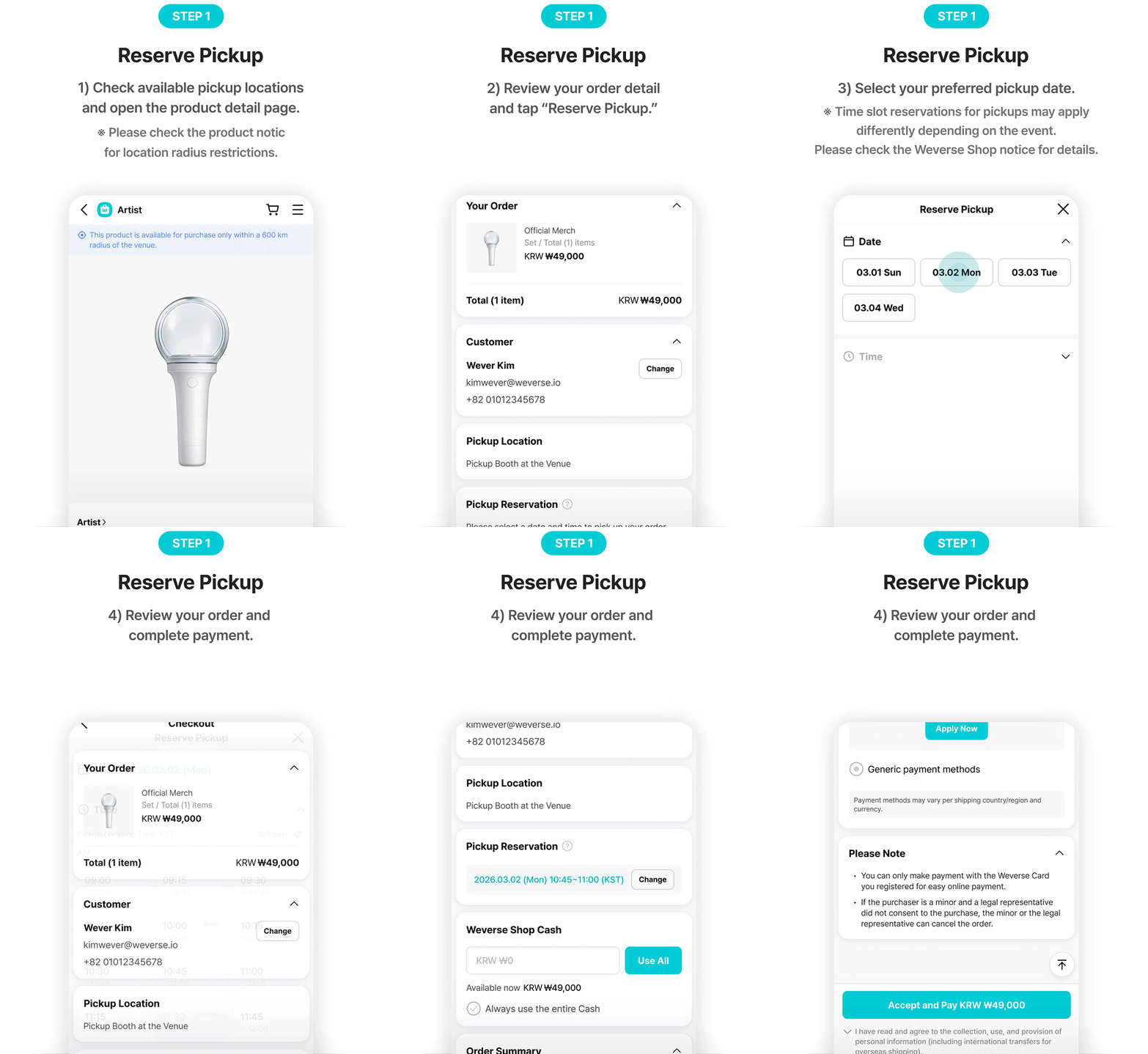
How Pickup Works
NEW
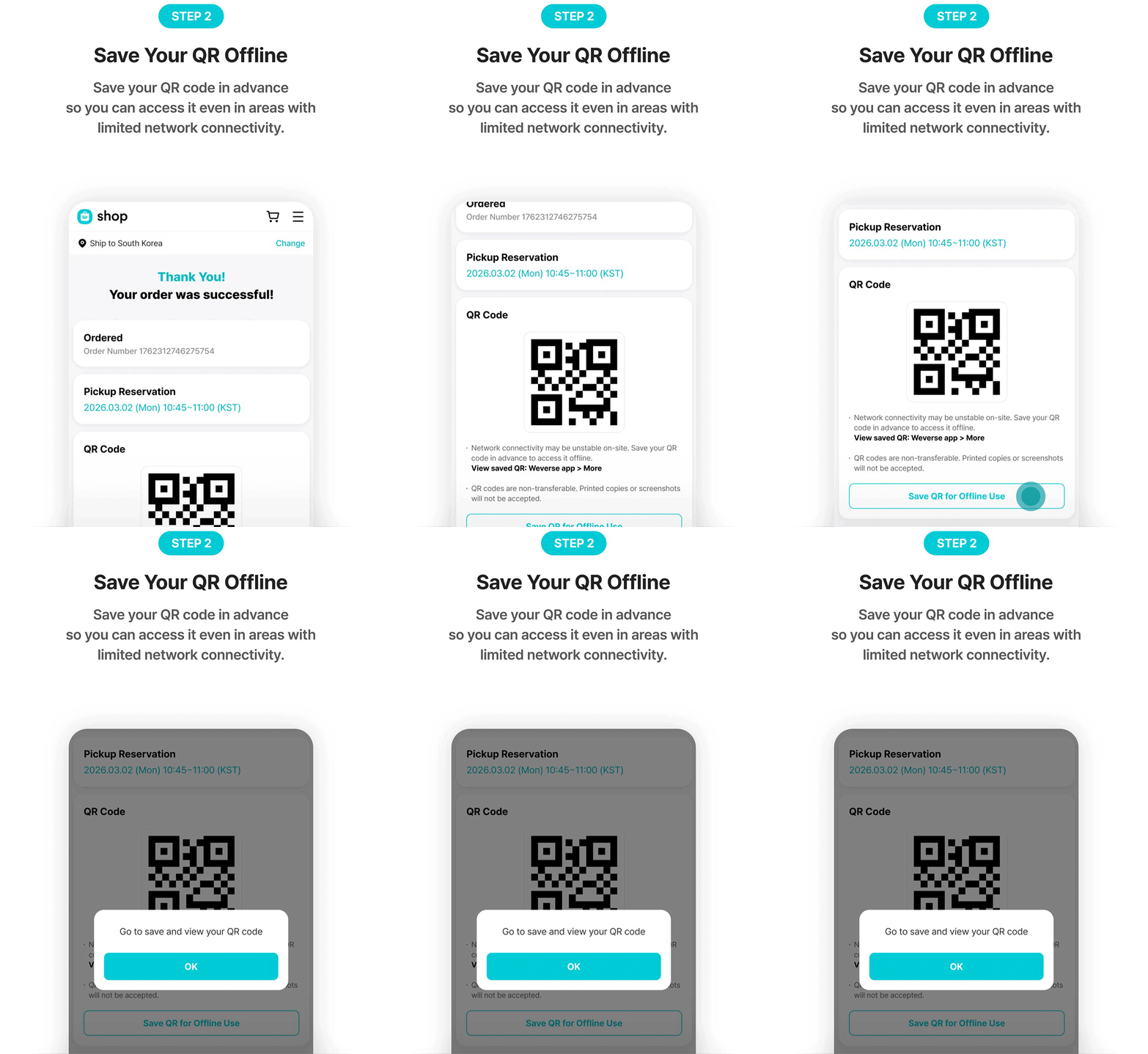
Offline QR
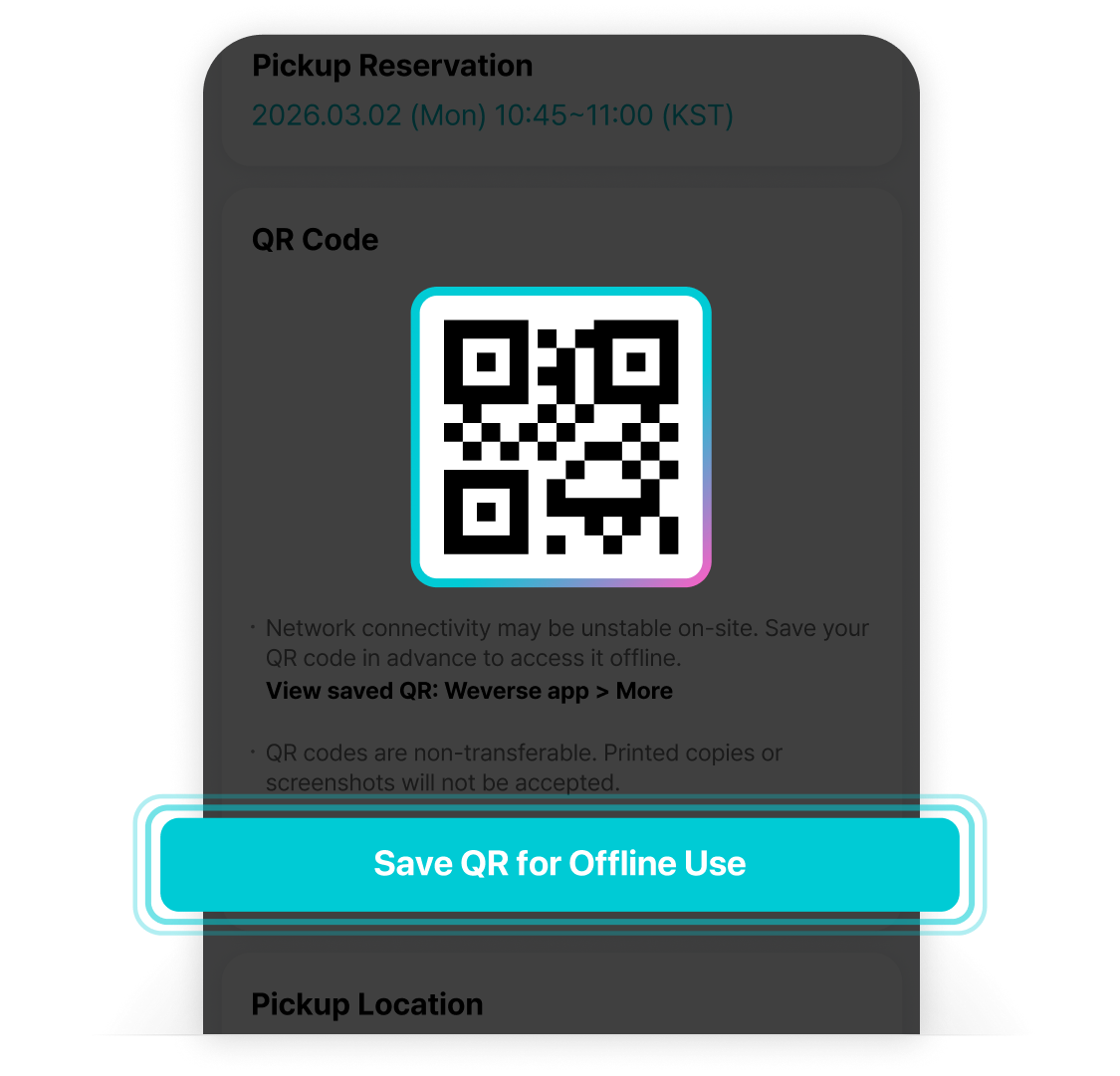
Large crowds at event venues may cause
network connectivity issues.
After reserving a pickup,
save your QR code for offline access.
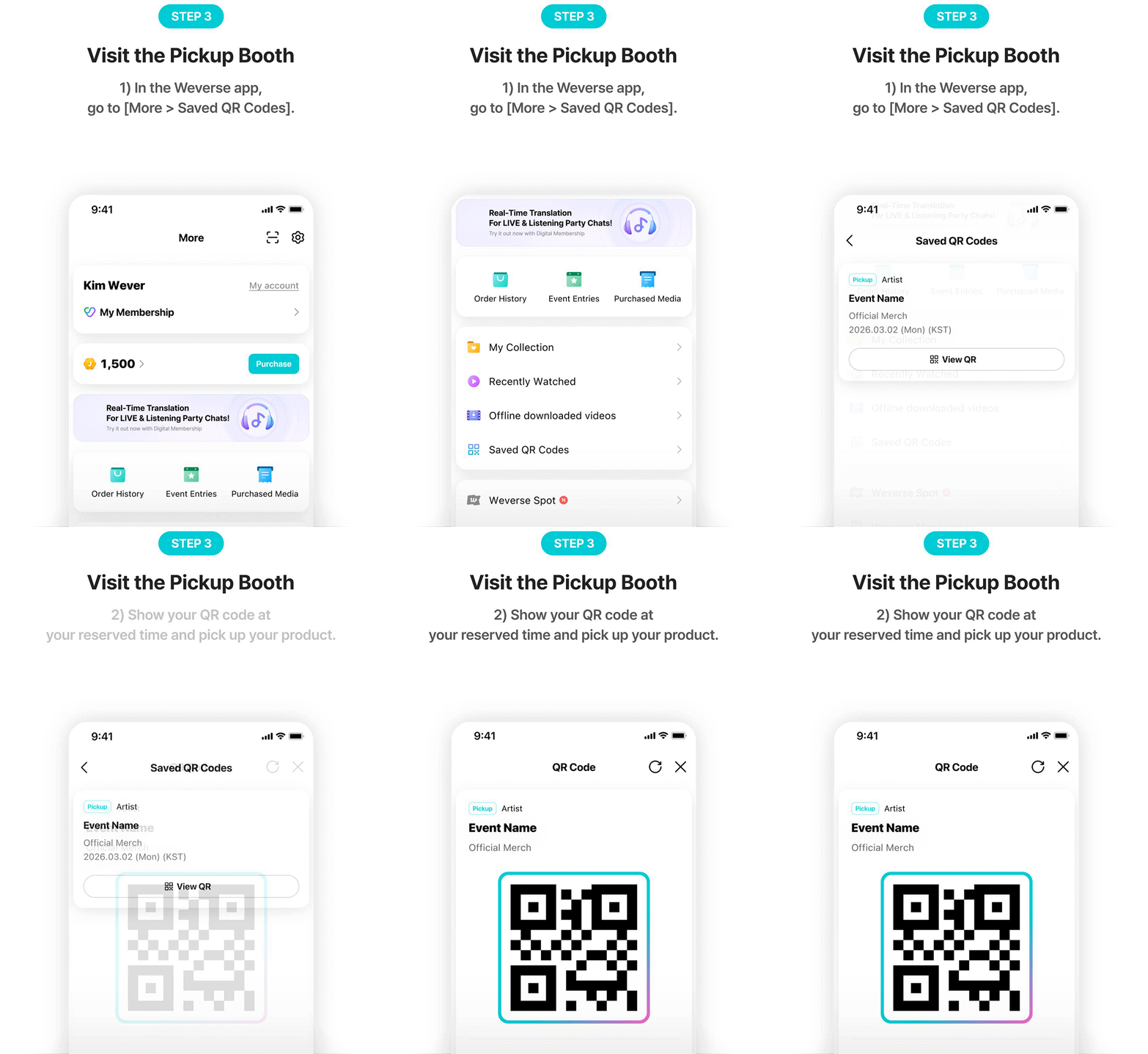
You can view it anytime
in Weverse app > More > Saved QR Codes,
even without a network connection.
After saving your QR offline,
enjoy a quick and seamless pickup experience.
Please Note
- Please install the latest version of Weverse app for smooth pickup.
- Please pick up your order during your reserved time slot. Pickups may be restricted after the designated time. For more details regarding unclaimed orders, please refer to the Weverse Shop on-site pickup notice for each event.
- If you have multiple reservations, you may merge them under one time slot and collect them together. A separate QR code is issued for each order, so please show the QR code for each order when picking up.
- QR codes are non-transferable. Printed copies or screenshots will not be accepted.
- Network connectivity may be unstable on-site. Save your QR code in advance to access it offline.
- Time slot reservations for pickup may not be available depending on the event. Please check Weverse Shop notices for details.